JS Important Topic Tutorial (Harry)
Map, Filter & Reduce in JavaScript | JavaScript Tutorial in Hindi #20 (Harry)
Section titled “Map, Filter & Reduce in JavaScript | JavaScript Tutorial in Hindi #20 (Harry)”Looping through Arrays
Arrays can be looped through using the classical javascript for loop or through some other methods discussed below
forEachloop -> Calls a function, once for each element. Returnundefined
const arr = [1, 2, 3]arr.forEach((value, index, array)=>{ console.log(`Index: ${index}, Value: ${value}`);})map()-> Creates and Return a New Array by performing some operation on each array element.
const arr = [1, 2, 3]arr.map((value, index, array) =>{ return value*value;})filter()-> filters an array with values that passes a test. Creates and Return New Array.
const arr = [1, 2, 3, 4, 5]arr.filter((value, index, array)=>{ return value>3;};reduce()-> Reduces an array to a single value and Return the single value
const arr = [1, 2, 3, 4, 5]
// Function to perform operation or Reducefunction add(acc, curr) { return acc + curr; }
arr.reduce(add); // add -> function// return ((((1+2)+3)+4)+5) = 1+2+3+4+5 i.e. 15
Note:
MapvsforEach:mapTransforms elements in an array and returns a new array., whileforEachIterates over elements to perform side effects.map,filter& return a new array,reducereturns a value andforEach& returnsundefined.- No function modify the original array
let arr = [45, 23, 21];
let newArr = arr.map((value)=>{  console.log(value+1)  // 46 -> 24 -> 22  return value + 1;})
console.log(newArr) // [46, 24, 22]
let arr = [45, 23, 21];
let newArr = arr.map((value, index, array)=>{ console.log(value, index) // 45 at 0 -> 23 at 1 -> 21 at 2 console.log(array) // [45, 23, 21] -> ,,, -> ,,, return value + index})
console.log(newArr) // [45, 24, 23]filter()
Section titled “filter()”let arr = [45, 23, 21, 0, 3, 5];
let newArr = arr.filter((value)=>{ console.log(value<10) // 0 -> 3 -> 5 return value < 10;});
console.log(newArr) // [0, 3, 5]reduces()
Section titled “reduces()”let arr = [1, 2, 3, 5, 2, 1];
let newArr = arr.filter((val1, val2)=>{ console.log(val1+val2)// 1+2 -> 3+3 -> 6+5 -> 11+2 -> 13+1 -> 14 return value1 + value2;});
console.log(newArr) // 14- The
reducemethod takes two values at a time (value1andvalue2). - It accumulates the result by performing the operation (
value1 + value2in this case) and returns the final accumulated value after processing all elements.
# Introduction to Callbacks | JavaScript Tutorial in Hindi #52(Harry)
Section titled “# Introduction to Callbacks | JavaScript Tutorial in Hindi #52(Harry)”- Synchronous actions are the actioins that initiate an dfinish one-by-one. Example:
// Synchronous Programminglet a = prompt("What is your name?")let b = prompt("What is your age")console.log(a + " is " + b + " years old")- Asynchronous actions are the actions that we initiate now and they finish later (after an event occur). eg.
setTimeoutoccurs in future after some finite no. of time (ms). Examples:
// Asynchronous ProgrammingsetTimeout(function(){  console.log("start"); // Function () Executed after 3 sec}, 3000)
console.log("End") // Execute ImmediatelyOutput:EndStartNote: Since Javascript is asynchronous in nature, i.e. it doesn’t wait for execution of statement before moving to its next.
Callback
Section titled “Callback”- A callback function is a function passed into another function as an argument, which is then invoked inside the outer function to complete an action.
// Let a Function hello()function hello(){ alert('Hello this is Callback!');}- eg.1 Inbuilt function
setTimeout()that take Callback as argument
// hello passed as callbacksetTimeout(hello, 3000) // hello() Executed After 3 Sec
console.log("End") // Execute ImmediatelyOutput:End # console.log("end") run immediatelyStart # hello() run after 3000 ms- eg.1 Custom function
loadScript()that take Callback as argument
// Function define to take a Function as Argument()function loadScript(src, callback){  var script = document.creatElement("script");  script.src = src;  document.body.appendChild(script);  script.onload = function(){ // run when script loaded    console.log("Loaded script with SRC: " + SRC)    callback();  }  document.body.appendChild(script);}
// hello passed as callbackloadscript("https://cdn.jsdeliver.net/npm"..., hello)OutputHello this is Callback # immediately runLoaded script with xxxxxxxxxxx # run later when script is loadedNote: Script element is typically used to embed external scripts (like third-party libraries, analytics, or widgets) in your application. We can handle callback errors by supplying <script> </script>
This is called callback -based style of async programming. A function that does something asynchronously should provide a callback argument where we put the function to run after its complete
Note: Callback is not a functions unique ness. Any function when passed in another function as argument will be considered as callback
Sometime there may be error inside callback, due to reasons like (Let for in api, fetching from wrong api, API Cross origin not allowed, etc.)
Handling Errors
Section titled “Handling Errors”If script.onload() i.e. script failed to load , then we can Handle error in this way
- Simply print error inside
loadScript()Function like this like this.
function loadScript(src, callback){  // existing code
  script.onerror = function(){    console.log("Error loading script with SRC: " + SRC);  }}
Error loading script with Src: xxxxxxxxxx- Pass Error as Argument in Callback by creating new Error object
// Modify `hello()` Callback to take error as input, and Handlefunction hello(error, src){  if(error){    console.log("Error:", error);    return;  }  alert('Hello World!' + src)}
//
function loadScript(src, callback){  // existing code
  script.onload = function(){    console.log("Loaded script with src:" + SRC)    // Pass 'null' in error if script load successfully    callback(null, src)  }


  script.onerror = function(){    // If error then Pass the error as error object in callback    callback(new Error ("src got some error"))  }}
Error : Src got some error at script.onerror# Callback Hell & Pyramid of Doom | JavaScript Tutorial in Hindi #53(Harry)
Section titled “# Callback Hell & Pyramid of Doom | JavaScript Tutorial in Hindi #53(Harry)”We should avoid callbacks because of these Callback Hell & Pyramid of Doom downsides of it.
Callback Hell
Section titled “Callback Hell”Let we have a function that do very critical thing when there is error.
Example:
- if there is error
goodmorning()send Emergency Message! to CEO
function goodmorning(error, src){ if (error){ console.log(error) sendEmergencyMessageToCeo(); // Very Critical Action return } alert('Good Morning' + SRC)}If someone mistakenly pass error (or true) as argument, during calling it, It would lead to a serious action, i.e. It will send Emergency message to CEO
For example, I ask an Intern to write loadscript() for my company, that take goodmorning() as callback. And in successful load script, he passed error as true in place of null, then it may be a disaster problem.
// InternloadScript(src, goodmorning);

function loadScript(src, callback){ script.onload = function(){ callback(true, src) // passed `true` in place of `null` }}- So there is a Risk of Giving Callback Function as it is in hand of someone.
Note: it’s solution is by using Promises in place of Callbacks
Pyramid of Doom
Section titled “Pyramid of Doom”When we have Callback inside Callbacks, the code gets difficult to manage.
loadScript("xxxx", function hello(err, src){ if(error){ console.log(error); return } loadScript("yyyy", function hello(err, src){ if(error){ console.log(error); return } loadScript("zzzz", function hello(err, src){ if(error){ console.log(error); return } loadScript("aaaa", function hello(err, src){ if(error){ console.log(error); return } // and so on ... }) }) })})Example 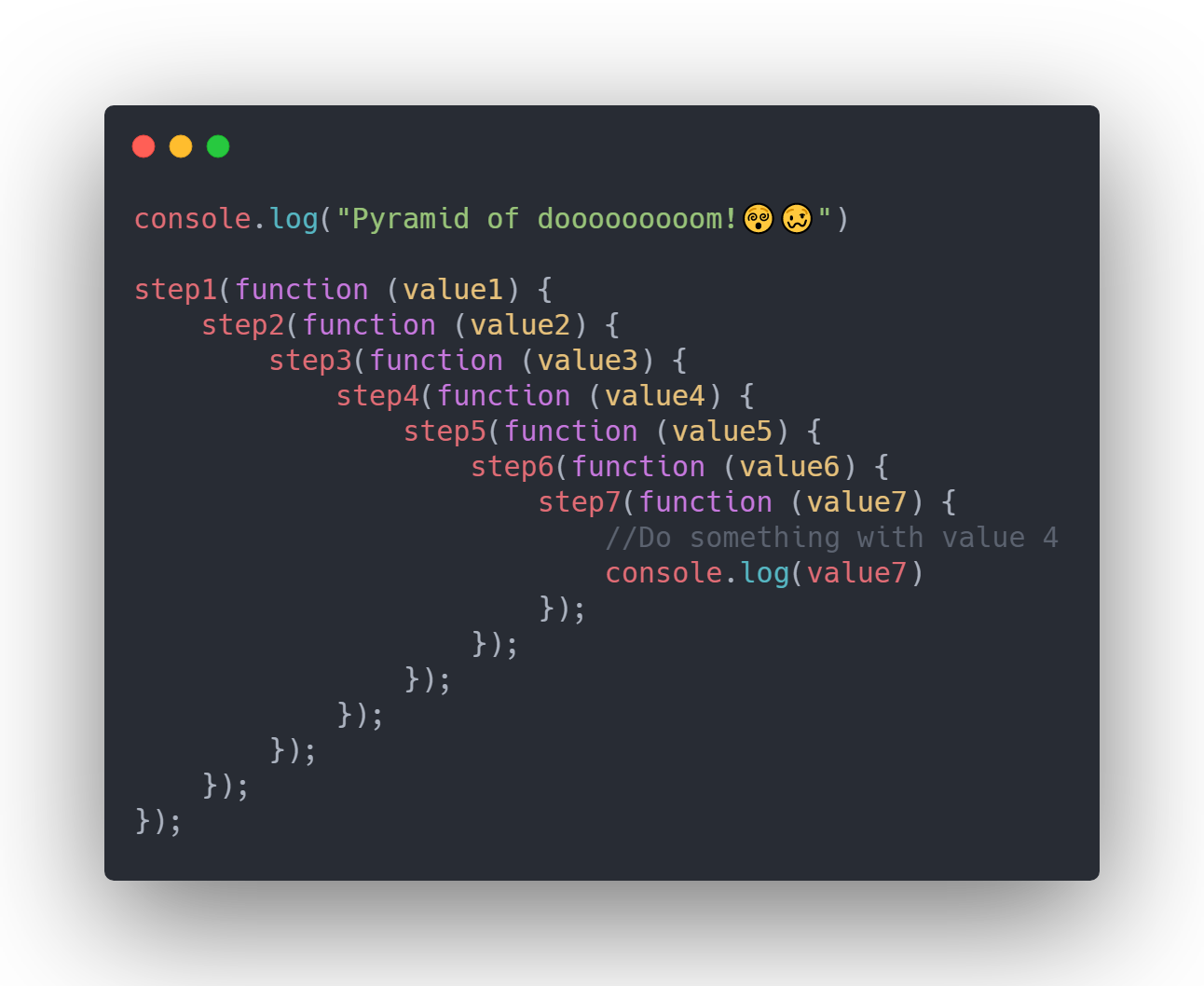
Introduction to Promises | JavaScript Tutorial in Hindi #54(Harry)
Section titled “Introduction to Promises | JavaScript Tutorial in Hindi #54(Harry)”Promises :
- The solution to the callback hell is promises. A promise is a promise of code “Execution”.
- The code either executes or fails, in both the cases the subscriber will be notified
Syntax to create a Promise
let promise = new Promise(function(resolve, reject){ // executes})Promiseconstructor executes immediately when thePromiseis created.
Resolve and Reject are two callbacks provide by javascript itself. They are called like this:
- Resolve(value) -> If the job is finished successfully
- Reject(error) -> If the jobs fail
Example:
let promise = new Promise(function(resolve, reject){  alert("I am an alert in Promise")  resolve(56);}) // Output : "I am an alert in Promise"
promise; // output : "I am an alert in Promise"console.log(promise); // output : Promise{56}
Note:
- The function inside
new Promise(...)runs immediately. - The
alert("I am an alert in Promise")executes as soon as the promise is created. - Then,
resolve(56);is called, marking the promise as resolved with the value56.
In Browser console, the Promise output will show like:
Promise {<fulfilled>: 56} [[prototype]]:Promise [[PromiseState]] : "fulfilled" [[PromiseResult]] : 56The promise object returned by the new Promise constructor has two properties
- state : Initially pending the changes to either “fulfilled” when resolve is called or “rejected” when reject is called
- Result : Initially undefined, then changes to value if resolved(value) or error when rejected(error)
Why Promises:
- Promises are used to handle asynchronous operations ( like fetching an
API) efficiently and allow JavaScript to run tasks without blocking execution. - Before Promises, developers relied on callback functions, which often led to callback hell (nested callbacks that are hard to manage).
Example of use case:
Let a Program be like…
1. Fetch google.com homepage ==> alert("google fetched")2. Fetch data from the data api3. Fetch pictures from the server4. Print downloading5. Rest of the scriptThe Code statement 1, 2 and 3 can work parallelly, and there is no point wait for them until there completion. So we make them Promises, so Program will not be blocked by them. After Promise setup, the Statement 3 and 4 are synchronous and will run sequentially
Promise .then() and .catch() | JavaScript Tutorial in Hindi #55
Section titled “Promise .then() and .catch() | JavaScript Tutorial in Hindi #55” Fulfilled / \ Resolve RejectResolve
let p1 = new Promise((resolve, reject)){  setTimeout(()=>{}    console.log("I am a promise and I am fullfilled")    resolve(true) // Will be Resolved after 5 sec  }, 5000)})
console.log(p1)
Output:
# defination Immediate ExecutionPromise is Pending
# console.log(p) -> Printed before fullfilled (that will be after 5 sec)Promise {<pending>}   (console.log(p))  [[Prototype]]: Promise  [[PromiseState]]: "pending"  [[PromiseResult]]: undefined
# defination Immediate Execution(after 5 sec timeout)I am a promise and I am fulfilled
Rejected
let p2 = new Promise((resolve, reject)){  setTimeout(()=>{}    console.log("I am a promise and I am fullfilled")    reject(new Error("I am an error")) // Will be Rejected after 5 sec  }, 5000)})
console.log(p2)
Output:
# defination Immediate ExecutionPromise is Pending
# console.log(p) -> Printed before fullfilled (that will be after 5 sec)Promise {<pending>}   (console.log(p))  [[Prototype]]: Promise  [[PromiseState]]: "pending"  [[PromiseResult]]: undefined
# Error ❌Uncaught (in promise) Error: I am an error  at script.js:6:24
Note:
- Let In above case, If we have two different Promise
p1andp2in a program, with eachResove/ResultAfter5000 ms, then the First Promise and 2nd Promise both will be fulfilled at same time, i.e.5 sec. Because they are running parallelly
Then and Catch
Section titled “Then and Catch”.then-> Code to Execute if the Promise is Resolved.catch-> Code to Execute if the Promise is Rejected
.then(success, error)// or.then(success).catch(error)Consumers: then & catch
- The consuming code can receive the final result of a promise through
thenandcatch
The most fundamental one is then (can also catch error without .catch )
promise.then(function(result){/*handle*/}, function(error){/*handle*/} );Note:
- If
resolve(value)is called → the next.then()receivesvalueautomatically. - If
reject(error)is called → the next.catch()receiveserrorautomatically.
If we are interested only in successful completions, we can provide only one function argument to .then()
promise.then((value)=>alert(value));If we are interested only in errors, we can use null as the first argument : .then(null,f) or we can use .catch:
promise.catch((error)=>alert(error));Promise finally (()=>{}) is used to perform general cleanups
Resolve -> Then
let p1 = new Promise((resolve, reject)){  setTimeout(()=>{}    resolve(true) // Will be Resolved after 5 sec  }, 5000)})
// We will Chain and another task if the promise Resolvedp1.then((value)=>{ // Execute If promise Resolved  console.log(value)})
Output:
# defination Immediate ExecutionPromise is Pending
# console.log(p) -> Value Printed after resolved (that will be after 5 sec)true
Rejected -> Catch
let p2 = new Promise((resolve, reject)){  setTimeout(()=>{}    reject(new Error("I am an error")) // Will be Rejected after 5 sec  }, 5000)})
// We will prevent console to throw error, and run another task if Rejectedp2.catch((error)=>{  // Execute if Promise Rejected  console.log("Some error occured in p2")})
Output:
# defination Immediate ExecutionPromise is Pending
# console.log(p) -> Printed after Rejected (that will be after 5 sec)Some error occured in p2
Promise Chaining .then() calls | JavaScript Tutorial in Hindi #56
Section titled “Promise Chaining .then() calls | JavaScript Tutorial in Hindi #56”We can chain promises and make them pass the resolved values to one another like this
// P is a promisep.then(function(result)=>{ alert(result); return 2;}).then...The Idea is to pass the result through the chain of .then handlers
Here is the flow of execution
- The initial promise resolves in i seconds(Assumption)
- The next
.then()handler is then called, which returns a new promise (resolved with 2 value) - The next
.then()gets the result of previous one and this keeps on going
p1.then((value1)=>{  // Logic  let p2 = new Promise((resolve, reject)=>{    resolve("Promise 1")  })  return p2
}).then((value2)=>{  // Logic  return new Promise((resolve, reject)=>{ // Can be returned Directly without creating Variable.    resolve("Promise 2")  })
}).then((value3)=>{  // Final Logic})
Compact Syntax :
p1.then((value1)=>{  // Logic  return "Promise 1"
}).then((value2)=>{  // Logic  return "Promise 2"
}).then((value3)=>{  // Logic  return 5 //
}).then((value4)=>{  // Logic  return 2+2
}).then((value4)=>{  // Logic  return true})
Note: - Directly Returning Value in .then and .catch automatically wrapped into Promise with Resolve and Reject Respectively
Use case Example
- Defining
loadScriptthat return Promise
// Defining a Function loadscript() that return promiseconst loadScript = (src) => { // Return a Promise return new Promise((resolve, reject)=>{ let script = document.createElement("script") script.type = "text/javascript" script.src = src document.body.appendChild(script) // Resolve and give value if load succesfully script.onload = () =>{ resolve("Script has been loaded sir") } // Reject and give Error if script not load script.onerror = () => {reject(0)} })}- Using
loadScript()and Handling Error withthen-catch
let p1 = loadScript("https://cdn.jsdeliver...")
p1.then((value) =>{ // If script loads successfully, print its value console.log(value)}).catch((error)=>{ // If script fails to load, handle the error console.log("We are sorry but unable to load script")})- Using Fallback Scripts in Case of Failure
let p1 = loadScript("https://cdn.jsdeliver...")
p1.then((value) =>{  // If first script loads successfully, print its value  console.log(value)  return loadScript("https://cdnjs.cloudflare...")}).then((value)=>{  // If second script loads successfully  console.log("Second Script ready")}).catch((error)=>{  // If any script fails, handle the error  console.log("We are sorry but unable to load script")})
Note: In Promise Chaining Every call to .then() returns a new promise whose value is passed to the next one and so on. We can even create custom Promises inside .then()
Attaching Multiple Handlers to a Promise | JavaScript Tutorial in Hindi #57
Section titled “Attaching Multiple Handlers to a Promise | JavaScript Tutorial in Hindi #57”We can attach multiple handlers to one promise. They don’t pass the result to each other; Instead they process it independently
Let p is a promise
p.then(handler 1)  ⬊p.then(handler 2)  ➡ Runs Independentlyp.then(handler 3)  ⬈
when multiple .then() handlers are attached to the same promise, they are queued independently in the microtask queue.
// Let p1 is a Promise
p1.then(()=>{console.log("handler 1")})p1.then(()=>{console.log("handler 2")})
Output (can be either):handler 1handler 2
---- or
handler 2handler 1In most cases, the handlers are executed in the order they are attached because microtasks are processed in the order they are queued, the first .then() handler is usually executed before the second one.
Note:
- Multiple
.then()handlers attached to the same promise run independently, not sequentially. - The order of execution is not guaranteed and depends on the event loop.
- Each
.then()handler receives the same resolved value of the promise.
The Promise API | JavaScript Tutorial in Hindi #58
Section titled “The Promise API | JavaScript Tutorial in Hindi #58”Promise API There are 6 static methods of Promise class:
Promise.all(promises)-> Waits for all promises to resolve and returns the array of their results. If any one fails, it becomes the error & all other results are ignoredPromise.allSettled(promises)-> Waits for all the promises to settle and returns their results as an array of objects with status and value.Promise.race(promises)-> Waits for the first promise to settle and its result/error becomes the outcomePromises.any(promises)-> Waits for the first promise to fulfill (& not rejected), and its result becomes the outcome. Throws Aggregate Error if all the promises are rejected.Promise.resolve(value)-> Makes a resolved promise with the given valuePromise.reject(error)-> Makes a rejected promise with the given error.
// Let theere are 4 promises// 1,3,4 Resolved and 2nd Rejected
let p1 = new Promise((resolve, reject)->{  setTimeout(()=>{    resolve("value 1");  }, 1000); // resolve after 1 sec});
let p2 = new Promise((resolve, reject)->{  setTimeout(()=>{    reject(new Error("Error"));  }, 2000); // reject after 2 sec});
let p3 = new Promise((resolve, reject)->{  setTimeout(()=>{    resolve("value 3");  }, 3000); // resolve after 3 sec});
let p4 = new Promise((resolve, reject)->{  setTimeout(()=>{    resolve("value 4");  }, 3000); // resolve after 4 sec});
1. Promise.all([]) : When all promises are resolved, list their values; otherwise, return the first rejection
// If All values are resolved -> list there valueslet promise_all = Promise.all([p1, p3, p4]);
promise_all.then((value)=>{  console.log(value)}```
Output (after 4 sec): [‘value 1’, ‘value 3’, value 4’]
```js// If Any values rejected -> give errorlet promise_all = Promise.all([p1, p2, p3]);
promise_all.then((value)=>{  console.log(value)}
Output (after 2 sec):Uncaught (in promises) Error: Error2. Promise.allSettled([]) : List all the statuses with values/errors
let promise_all = Promise.allSettled([p1, p2, p4]);
promise_all.then((value)=>{  console.log(value)}
output (after 4 sec):[ { status: 'fulfilled', value: 'value 1' }, { status: 'rejected', reason: Error: Error }, { status: 'fulfilled', value: 'value 4' }]3. Promise.race([]) : The first resolved/rejected promise
// If Any value is resolved first, print the valuelet promise_all = Promise.race([p1, p2, p3]);
promise_all.then((value)=>{  console.log(value)}
output (after 1 sec):value 1// If any value is rejected first print the valuelet promise_all = Promise.race([p2, p3, p4]);
promise_all.then((value)=>{ console.log(value)}output (after 2 sec):Uncaught (in promises) Error: Error4. Promise.any([]) : First resolved value (ignores rejections, throws an error if all are rejected)
// Any value that is resolved first (Ignore rejected value)let promise_all = Promise.any([p2, p3, p4]);
promise_all.then((value)=>{  console.log(value)}
output (after 3 sec):value 35. Promise.resolve() : Create a resolved promise
let promise_all = Promise.resolve(6)Output :66. Promise.reject() : Create a rejected promise
let promise_all = Promise.reject(new Error("Hey"))Output :Uncaught (in promise) Error : HeyAsync/Await in JavaScript | JavaScript Tutorial in Hindi #59(Harry)
Section titled “Async/Await in JavaScript | JavaScript Tutorial in Hindi #59(Harry)”There is a special syntax to work with promises in javascript
Async
- A function can be made async by using
asynckeyword like this:
async function fun(){ // Logic}- An async function always returns a promise. ⭐
- Other values are wrapped in a promise automatically. We can do something like this:
fun().then(alert);- So, async ensures that the function returns a promise and wrap non promises in it.
Await
awaitkeyword works only inside async functionsawaitis used to pause the execution of anasyncfunction until a promise is resolved or rejected, as some future statements may depend on its result.
Example:
async function weather(){ // Delhi Weather Promise let delhiWeather = new Promise((resolve, reject)=>{ setTimeout(()=>{ resolve("27 Deg") }1000) }) // Bangalore Weather Promise let bangaloreWeather = new Promise((resolve, reject)=>{ setTimeout(()=>{ resolve("21 Deg") },2000) }) // Logic To return/Log/Alert The values // // 3 Ways ↓}- Using
.thento alert each value when fullfilled
  ...  delhiWeather.then(alert);  bangaloreWeather.then(alert);}
// Call the Function outside definitionharry()- Return all the values when full filled using Promise API
  ...  return Promise.all([delhiWeather, bangaloreWeather]);}
// console the function value outside definitionlet a = harry(); // ✅ `a` stores the promise objectconsole.log(a); // Logs: `Promise { <pending> }`- Await both promises and store results in variables
  ...  let delhi = await delhiWeather;  let bangalore = await bangaloreWeather;  return [delhi, bangalore];}
// console the function value outside definitionlet a = harry();      // ✅ `a` stores the promise objectconsole.log(a);    // Logs: `Promise { <pending> }`
Each async function runs independently and in parallel. await only pauses the execution inside the specific async function where it is used. Code outside of the async function continues running without waiting.
JavaScript is asynchronous by nature, meaning if a statement takes time (e.g., fetching data), it runs in the background, allowing other statements to continue executing without being blocked.
To create a synchronous-like execution flow (sequential execution), use await inside an async function. Each await statement will pause the execution until the previous one resolves, ensuring the code runs in the desired order.
await is a better approach because: Using await leads to cleaner, more intuitive, and less error-prone asynchronous code.
- It makes asynchronous code look and behave like synchronous code, improving readability and maintainability.
- It ensures the code execution pauses until the promise resolves, preventing the need for chaining
.then()multiple times. - It reduces the complexity of handling nested or sequential promises, making the logic easier to follow.
- It automatically unwraps the resolved value of the promise, so you can work directly with the result, without using
.then(). ⭐
Note:
- Note:
console.log(harry());will give a logical error ❌ and logs:Promise { <pending> }Becauseharry()is anasyncfunction, which automatically returns a promise. Even if youreturna value inside it, the function itself returns a promise. ⭐ - We use
new Promise((resolve, reject) => {...})to manually create a promise, typically when working with callback-based asynchronous operations. - However, libraries like MongoDB or the
fetchAPI automatically return promises, so you don’t need to create them manually.
Error Handling: try and catch | JavaScript Tutorial in Hindi #60 (Harry)
Section titled “Error Handling: try and catch | JavaScript Tutorial in Hindi #60 (Harry)”Error Handling We all make mistakes. Also sometimes our script can have errors. Usually a program halts when an error occurs
The try...catch syntax allows us to catch errors so that the script instead of dying can do something more reasonable
The Try...Catch Syntax The try catch syntax has two main blocks: try and then catch
try{ // try the code} catch (err){ // error handling}Note: The argument inside catch (here err) contains the error object thrown by the try block if an exception occurs.
It works like this
- First the code in try is executed
- If there is no error catch is ignored else catch is executed
Example
- We wrote some code to prank friends by making it look like we’re hacking their password.
// After 1 secsetTimeout(() => {    console.log("1. Hacking Rahul's Account... Please wait...");}, 1000);
// After 2 secsetTimeout(() => {    console.log("2. Fetching username and password... Please wait...");    console.log(rahul);  // Error: rahul not defined ❌}, 2000);
// After 3 secsetTimeout(() => { console.log("3. Username and Password of Rahul (+91935670001) fetched... Please wait...");}, 3000);Output:1. Hacking Rahul's Account... Please wait...2. Fetching username and password... Please wait...Uncaught ReferenceError: rahul is not defined3. Username and Password of Rahul (+91935670001) fetched... Please wait...- We made a mistake by using the
rahulvariable, which was not defined inside the secondsetTimeout()(executed after 2 seconds). - In this case, the errored statement is scheduled after 2 seconds.
- All previous
setTimeout()callbacks and other code are executed before the error occurs. - Thus, the error is displayed, but all statements scheduled before the error still run.
- If we write the code outside the
setTimeout(), it will execute immediately, throw an error, and interrupt all subsequent statements.
// After 1 secsetTimeout(() => {    console.log("Hacking Rahul's Account... Please wait...");}, 1000);
console.log(rahul);  // Error: rahul not defined ❌
// After 2 secsetTimeout(() => {    console.log("Fetching username and password... Please wait...");}, 2000);
// After 3 secsetTimeout(() => { console.log("Username and Password of Rahul (+91935670001) fetched... Please wait...");}, 3000);Output:Uncaught ReferenceError: rahul is not defined- Since the error occurs immediately, it halts the execution, and the remaining
setTimeout()callbacks are never executed.
- To prevent interruption of the entire process, we can use a
try...catchblock.
// After 1 secsetTimeout(() => {    console.log("Hacking Rahul's Account... Please wait...");}, 1000);
try {    console.log(rahul);  // Error: rahul not defined ❌} catch (gkerror) {    console.log("i. This is an error: " + gkerror);}
// After 2 secsetTimeout(() => {    console.log("Fetching username and password... Please wait...");}, 2000);
// After 3 secsetTimeout(() => { console.log("Username and Password of Rahul (+91935670001) fetched... Please wait...");}, 3000);Output:1. Hacking Rahul's Account... Please wait...i. This is an error: ReferenceError: rahul is not defined2. Fetching username and password... Please wait...3. Username and Password of Rahul (+91935670001) fetched... Please wait...- The
try...catchblock catches the error and logs it without interrupting the remaining code execution. - If the code runs successfully, it proceeds normally.
- If an error occurs, it is caught and handled gracefully without stopping the remaining code.
Note: We apply try...catch in cases where there is a chance of an error occurring, to prevent the entire process from halting and ensure the remaining code still runs.
Example: Uncaught Errors in Asynchronous Functions
try { setTimeout(()=>{ console.log(rahul); // Error ❌ }, 100)} catch (error) { console.log(error);}- In the above code, the
try...catchblock only handles synchronous code. - The
setTimeout()function is asynchronous and is scheduled to run after 100 milliseconds. - The
try...catchblock finishes execution immediately after scheduling thesetTimeout()function. - When the
setTimeout()callback runs later, it throws an error, but thetry...catchblock cannot catch it because it has already finished executing.
To catch errors inside asynchronous code, you must place the try...catch block inside the setTimeout() callback:
setTimeout(() => { try { console.log(rahul); // Error ❌ } catch (error) { console.log("Caught error:", error); }}, 100);Closures in JavaScript | JavaScript Tutorial in Hindi #90
Section titled “Closures in JavaScript | JavaScript Tutorial in Hindi #90”CLOSURE
Section titled “CLOSURE”A closure is the combination of a function bundled together (enclosed) with references to its surrounding state (the lexical environment). In other words, a closure gives a function access to its outer scope. In JavaScript, closures are created every time a function is created, at function creation time.
Lexical Scoping
function init() { var name = "Gaurav"; // name is a local variable created by init function displayName() { // displayName() is the inner function, that forms a closure console.log(name); // use variable declared in the parent function } displayName();}init();Output:
"Gaurav"init() creates a local variable called name and a function called displayName(). The displayName() function is an inner function that is defined inside init() and is available only within the body of the init() function. Note that the displayName() function has no local variables of its own. However, since inner functions have access to the variables of outer scopes, displayName() can access the variable name declared in the parent function, init().
Note:
- A closure is formed when an inner function accesses variables from its outer (lexical) scope, even after the outer function has returned.
- Its not needed that outer function return the inner function.
Learn With Example
Section titled “Learn With Example”Variable at Global Scope and Block Scope (let) Behavior
message = "Good global" // global
function hello1(){  console.log(message) //  "Good global"  message = "Good hello1"  console.log(message) // "Good hello1"  {    message = "Good block" // "Good block"    console.log(message)  }  console.log(message) // "Good block" (because globally changed)}//
hello1()
message = "Good global" // global
function hello1(){ console.log(message) // "Good global" let message = "Good hello1" // message -> block scope console.log(message) // "Good hello1" { let message = "Good block" // message -> block scope console.log(message) // // "Good block" } console.log(message) // "Goo hello1"}//
hello1()Returning a Function (Closure) ⭐
message = "Good global" // global
function hello1(){  let message = "Good hello1"  console.log(message) // "Good hello1"  {    let message = "Good block"    console.log(message) // "Good block"  }  let a =  function hello2(){    console.log(message) // "Good hello1" (from hello1's scope)  }
  return a // or directly `return function hell2(){...}`}

b = hello1()b() // or directly call `hello1()`
Output:
"Good hello1"hello2is a closure that retains access tomessagefromhello1’s scope.b = hello1()stores that function.b()callshello2, which still seesmessage = "Good hello1".
function hello1() {  let message = "Good before"; // (1)  let a = function hello2() {    console.log(message); // (3) uses the variable `message`  };  message = "Good after"; // (2) modifies the same `message` variable  return a;}
b = hello1(); // executes hello1 and returns hello2b();          // calls hello2 → logs "Good after"
Output:
"Good after"- Closure captures reference, not snapshot of variable. That’s why the output is
"Good after"— the variable was mutated before the closure was used.
Nested Closure and Scope Chain
function returnXYZ(){  const x = () =>{    let a = 165    console.log(a) // (1)
    const y = () =>{      console.log(a) // (2)
      const z = () => {        console.log(a)      }      // call inside y()      z()    }    a = 945    // call inside x()    y()  }  // return inside returnXYZ()  return x}
let a = returnXYZ()a()
Output:
165945945z()closes overafromx()’s scope.- Updates to
aare visible iny()andz()before they are called.
Arrow Functions Revisited | JavaScript Tutorial in Hindi #91(Harry)
Section titled “Arrow Functions Revisited | JavaScript Tutorial in Hindi #91(Harry)”Two Types of Function in Java Script
- Function Expression
- Arrow Function (Introduced in ES6)
- Normal Function Expression
// Function Expressionconst sayHello = function() { console.log("Hello");};Arrow Function
// Arrow Functionconst sayHello = () => { console.log("Hello");}- Arrow Function Expression Variations
// Single-line expression: `{}` and `return` keyword can be omitted.const sayHello = () => console.log("Hello");
// Multi-line expression: `{}` and `return` are required.const sayHelloMulti = () => {  console.log("Hello");  console.log("Hi");};
// ⚠️ Multiple statements in a single line separated by `;` is possible but **not recommended** due to reduced readability.const sayHelloBad = () => console.log("Hello"); console.log("Hi"); // Only "Hello" is part of the arrow function.- Arrow function with Arguments
// Passing Argument in Arrow Functionconst sayHello = (name) => console.log("Hello" + name);
// Single argument: `()` can be omitted.const sayHello = name => console.log("Hello" + name);
// Multiple arguments: `()` is required.const sayHello = (name, greeting) => console.log(greeting + " " + name);
this in JavaScript
thisinside function of an object
//const x = { name:"Gaurav", role:"SDE", // Normal Function show : function(){ console.log(`The Name is ${this.name}\n Role is ${this.role}`} }}x.show()Output: ✅// The Name is Gaurav// The Role is SDEthisinside an event inside function of an object
const x = { name:"Gaurav", role:"SDE", show : function(){ // <- here this will be the object setTimeout(function(){ // <- here this will be element which receive `setTimeout` console.log(`The Name is ${this.name}\n Role is ${this.role}`}, 2000) ) }}x.show()Output: ❌// The Name is// The Role is undefinedNote: In setTimeout, this refers to the global object (window) in browsers.
- Fix 1: Using a variable to store
this
const x = { name:"Gaurav", role:"SDE", show : function(){ let that = this // <- // Store the object reference setTimeout(function(){ // `that` store the object `x` console.log(`The Name is ${that.name}\n Role is ${that.role}`}, 2000) ) }}x.show()Output: ✅// The Name is Gaurav// The Role is SDE- Fix 2: Using an arrow function
const x = { name:"Gaurav", role:"SDE", show : function(){ setTimeout(()=>{ // <- Arrow function console.log(`The Name is ${that.name}\n Role is ${that.role}`}, 2000) ) }}x.show()Output: ✅// The Name is Gaurav// The Role is SDENote: Arrow functions automatically capture this from their lexical parent. This is called Lexical this.
Summary of the 4 cases of this in JS
thisalone or independent → refers to the global object (In browsers:window, In Node.js:global)thisinside a regular function → refers to the object that calls the functionthisinside an event handler usingfunction()→ refers to the element receiving the eventthisinside an arrow function in an event → refers to the lexical parent (the context where it was defined)
Key Points
- Lexical
this: Arrow functions do not have their ownthiscontext; they inheritthisfrom the parent scope. - Concise Syntax: For simple functions, the arrow function syntax is more concise.
- No
argumentsobject: Arrow functions do not have their ownargumentsobject. - Standard
this: In a function expression,thisrefers to the object that calls the function. - Named or Anonymous: Function expressions can be anonymous (as in your example) or named.
- More Flexible: You can define named functions for recursion or easier debugging.
THIS and arrow function in javascript | chai aur javascript(Chai aur Code)
Section titled “THIS and arrow function in javascript | chai aur javascript(Chai aur Code)”this in global statement in browser -> point to window this in global statement in Nodejs -> point to empty object
Implicit Return works in Single line
Explicit Return
const addTwo = (numl, num2) => return { numl + num2 }❌ Implicit Return will not work (Due to curly braces)
const addTwo = (numl, num2) => { numl + num2 }✅ Implicit Return
const addTwo = (numl, num2) => ( numl + num2 )✅ Implicit Return
const addTwo = (numl,num2) => numl + num2Immediately Invoked Function Expressions IIFE (Chai aur Code)
Section titled “Immediately Invoked Function Expressions IIFE (Chai aur Code)”Deep Copy & Shallow Copy | Interview Question (Sheriyans)
Section titled “Deep Copy & Shallow Copy | Interview Question (Sheriyans)”In JavaScript, primitive data types are copied by value, while objects and arrays (non-primitive types) are copied by reference.
var b = a;- If
ais Primitive type → Copied by value (Independent) intob - If
ais Object/Array/Function → Copied by reference (Shared)
i.e.,bpoints to the same memory location asa
Example :
var obj = { name: "harsh", age: 25 }
var obj2 = obj; // obj2 is not a new object, it references the same object as obj
// Let's check by making changes to obj2obj2.name = "harshita";console.log(obj);Output:
{ name: "harshita", age: 25 }- Changing
obj2also changesobj - Because
obj2andobjboth reference the same object
Shallow Copy
Section titled “Shallow Copy”- Shallow copy means creating a new object where only the top-level properties are copied, but any nested objects are still referenced (not fully cloned).
Object.assign({}, obj)
let obj2 = Object.assign({}, obj); // Creates a shallow copy of obj into obj2{ ...obj }(Spread operator)
let obj2 = { ...obj }; // Creates a shallow copy of obj into obj2...Spread Operator (Flat Object -> Actual Copy)
var obj = { name: "harsh", age: 25 }
var obj2 = { ...obj }; // Creates a shallow copy (new object) with same valuesobj2.name = "harshita";console.log(obj);console.log(obj2);Output:
{ name: "harsh", age: 25 }{ name: "harshita", age: 25 }- Changing
obj2does not affectobj(because it’s a flat object and copied)
...Spread Operator (Nested Object -> Shallow Copy)
var obj = {  name : "harsh",  social: {    facebook: "somewhere@gmail.com",  }}
var obj2 = {...obj};obj2.name = "harshita"; // name is a primitive, gets copiedobj2.social.facebook = "anywhere@gmail.com"; // social is an object, shallow copied (shared reference)
console.log(obj);console.log(obj2);Output:
{ name: "harsh", social: { facebook: "anywhere@gmail.com" }}{ name: "harshita", social: { facebook: "anywhere@gmail.com" }}nameis copied independentlysocialis a nested object → shallow copy → shared reference- Changes in nested object affect both
Deep Copy
Section titled “Deep Copy”- Creates full copy (including nested structures)
- No shared reference.
structuredClone()(built-in, supports more types)
let obj2 = structuredClone(obj);- JSON Method (only for simple data, no functions, Date, undefined)`
let obj2 = JSON.parse(JSON.stringify(obj));Understand JSON.stringify() -> JSON.parse()
let a = { a: 1, b: 2 };
// Step 1: Convert object to string (removes reference)let b = JSON.stringify(a);  // → '{"a":1,"b":2}'
// Step 2: Convert back to object (new copy)let c = JSON.parse(b); // → { a: 1, b: 2 }JSON.stringify()converts the object to a JSON string.JSON.parse()converts the string back to a new object.- This breaks the reference — creates a deep copy.
- Limitation: Doesn’t support
function,undefined,Date,Map,Set, etc.
Recursion Way to Deep Copy
Step 1 → [Check Type]→ If value is not Object/Array (i.e., primitive like number, string, boolean, null, undefined)→ → Copy the value as-is→ Else→ → Proceed to next step
Step 2 → [Create Blank]→ Create a new empty object `{}` if input is object→ Or new empty array `[]` if input is array
Step 3 → [Recursive Copy]→ For each key/item in the original object/array→ → Recursively apply the same steps→ → Copy the returned value into the corresponding key/index of the new object/array
Step 4 → [Return Result]→ Return the fully copied object/array
Note:
typeof nullreturns"object"(notundefined), so add an extra check fornull. Null behaves like an object, but we don’t want to recurse into it — just copy it as-is.typeof arrayreturn “object” so no additional check for array, as we want it to recurse it.
Make sure to Not continue if Object is null, -> Object
JS Code:
function makeDeepCopy(obj) {  // Step 1: Handle primitive values and null  if (typeof obj !== "object" || obj === null) {    return obj; // return as-is (no copy needed)  }
  // Step 2: Create empty array or object based on input type  var copiedVal = Array.isArray(obj) ? [] : {};
  // Step 3: Get all keys of the original object  var keys = Object.keys(obj);
  // Step 4: Recursively copy each key's value  for (var i = 0; i < keys.length; i++) {    copiedVal[keys[i]] = makeDeepCopy(obj[keys[i]]);  }
  // Step 5: Return the fully copied object/array  return copiedVal;}
Notes:
Array.isArray(value)→ checks ifvalueis an array
Array.isArray([]) // trueArray.isArray({}) // falseObject.keys(obj)→ returns array of own enumerable property names
Object.keys({a: 1, b: 2}) // ['a', 'b']Object.keys([10, 20])     // ['0', '1']  (indexes as strings)
// For objects → returns `property names`// For arrays → returns `index keys` as strings